CL
Work
About
Play
Blog
The latest news and updates.
Governance
The Aave Governance forum.

C
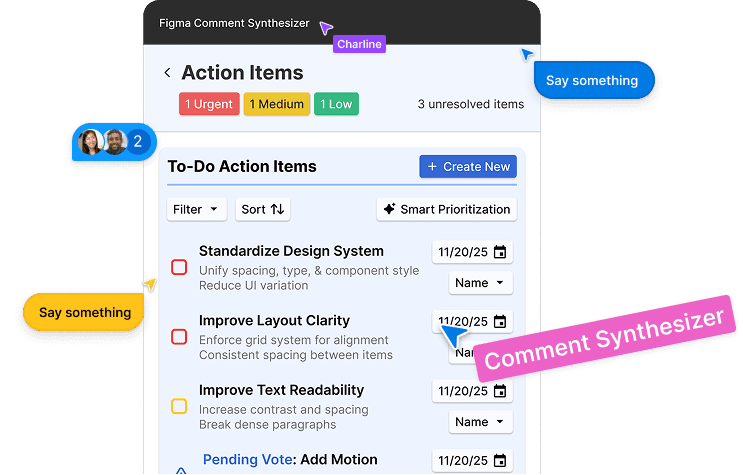
Figma Comment Synthesizer Plug-in Concept
An AI-Assisted tool for designers that transforms
messy comments into actionable insights
Role
Product Designer
Team
2 Designers
2 Researchers
Timeline
Nov 2025 - Dec 2025
Tools
Figma
Figjam
Overview
Developed in DSGN 118: Design for Creativity and Productivity, this project builds on earlier research into AI interfaces and their limitations in creative workflows.
Our team designed an AI-assisted Figma plug-in that transforms scattered design comments into clear themes, prioritized action items, and collaborative decision tools, helping teams move from feedback overload to confident next steps.
Context
When feedback and LLMs scales faster than understanding.
Leaving comments in Figma is effortless. Making sense of them isn’t.
As files grow, designers face dozens, sometimes hundreds, of fragmented, repetitive, or conflicting comments spread across frames, files, and reviewers.
Instead of supporting momentum, feedback overload increases cognitive load, slows decisions, and obscures what matters most.
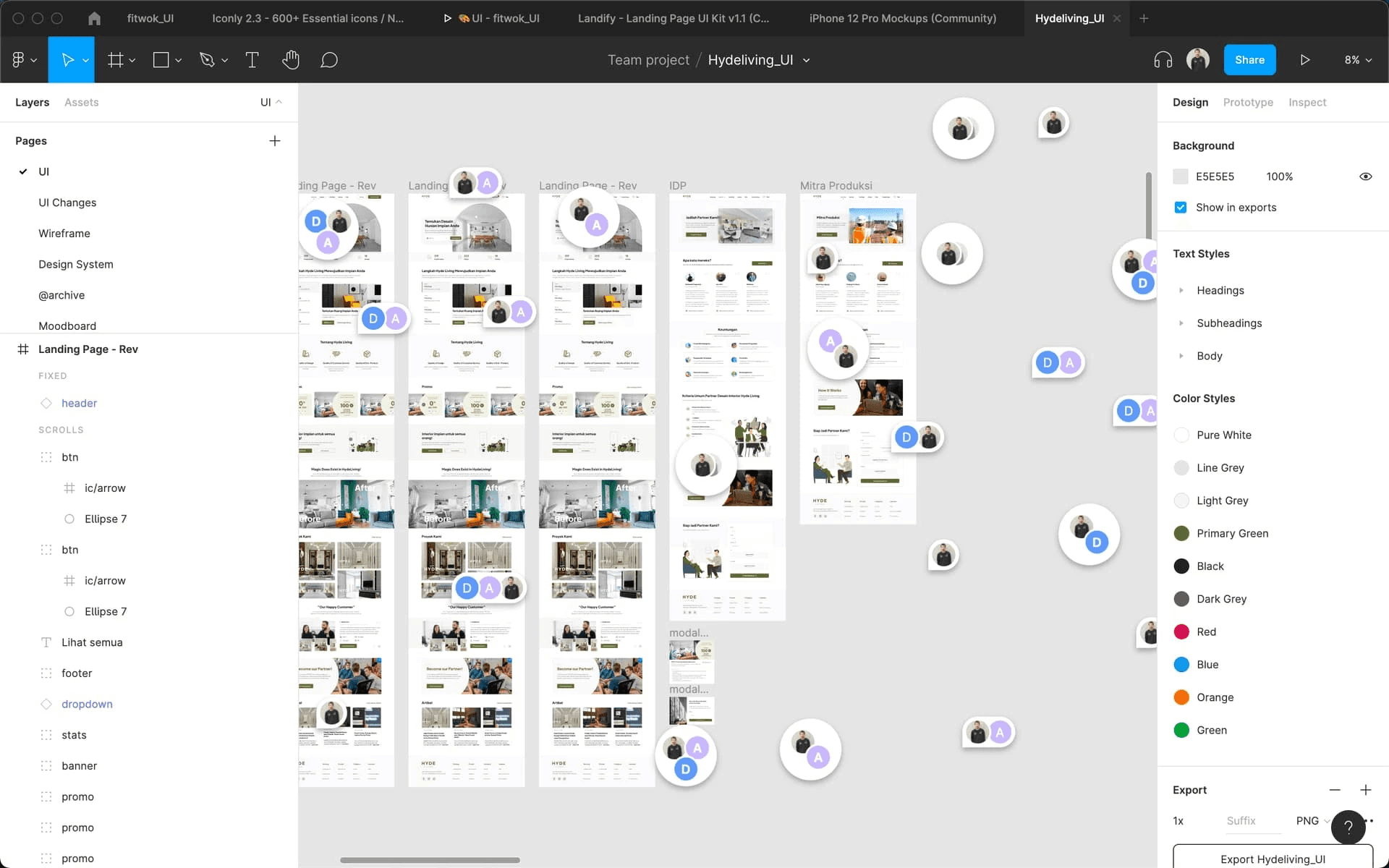
so, so many comments, everywhere…
Current ai Interface Problems
Facing a wall of text when prompting
LLMs excel at producing summaries, but without visual hierarchy or interaction, patterns and priorities are hard to identify. Valuable insights become buried in text, increasing cognitive load instead of reducing it.
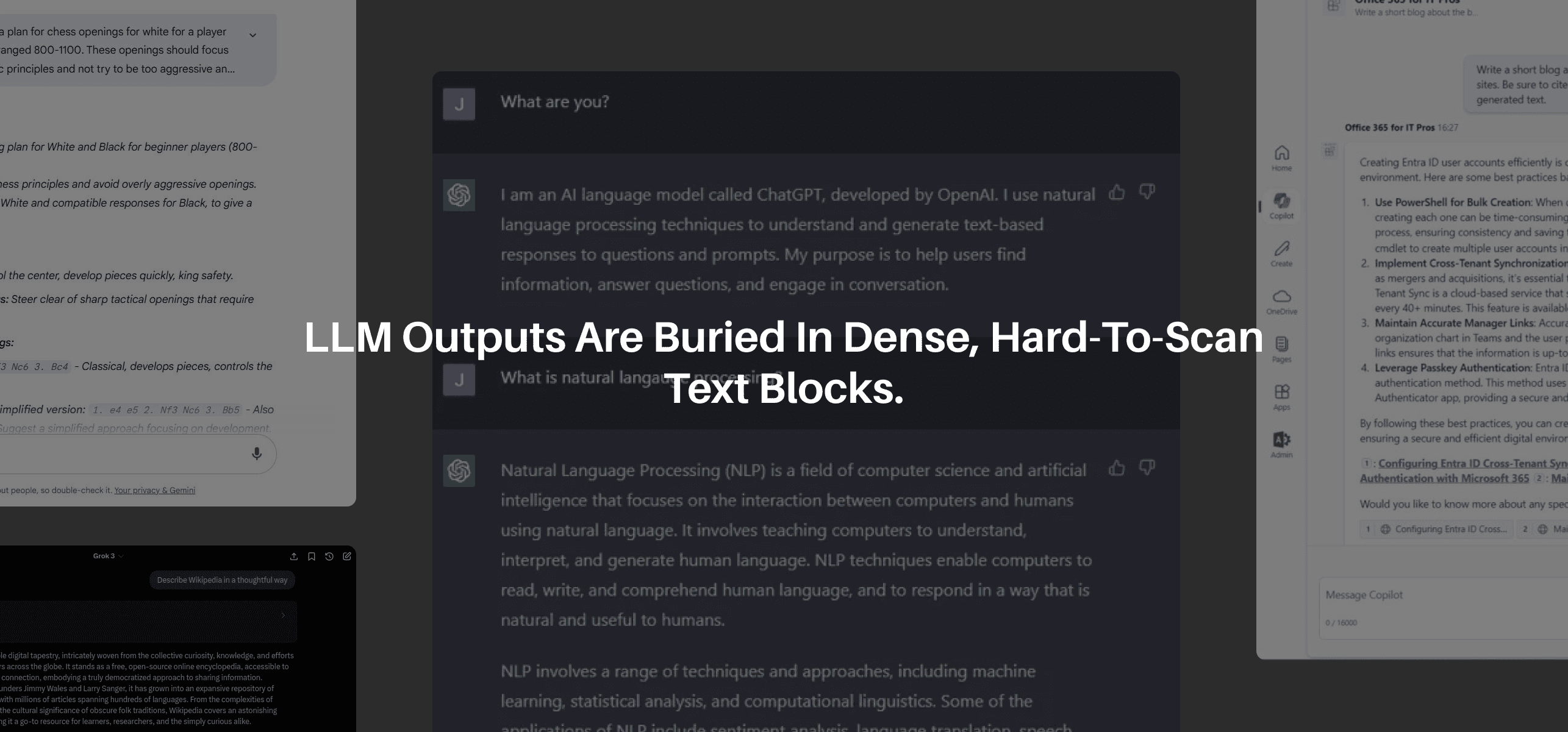
so, why does this matter?
Creativity needs clarity to scale
Design teams rely on fast, shared understanding to move forward. When feedback is scattered or difficult to interpret, iteration slows, misalignment grows, and key signals are missed. At scale, this turns AI from a productivity tool into added noise.
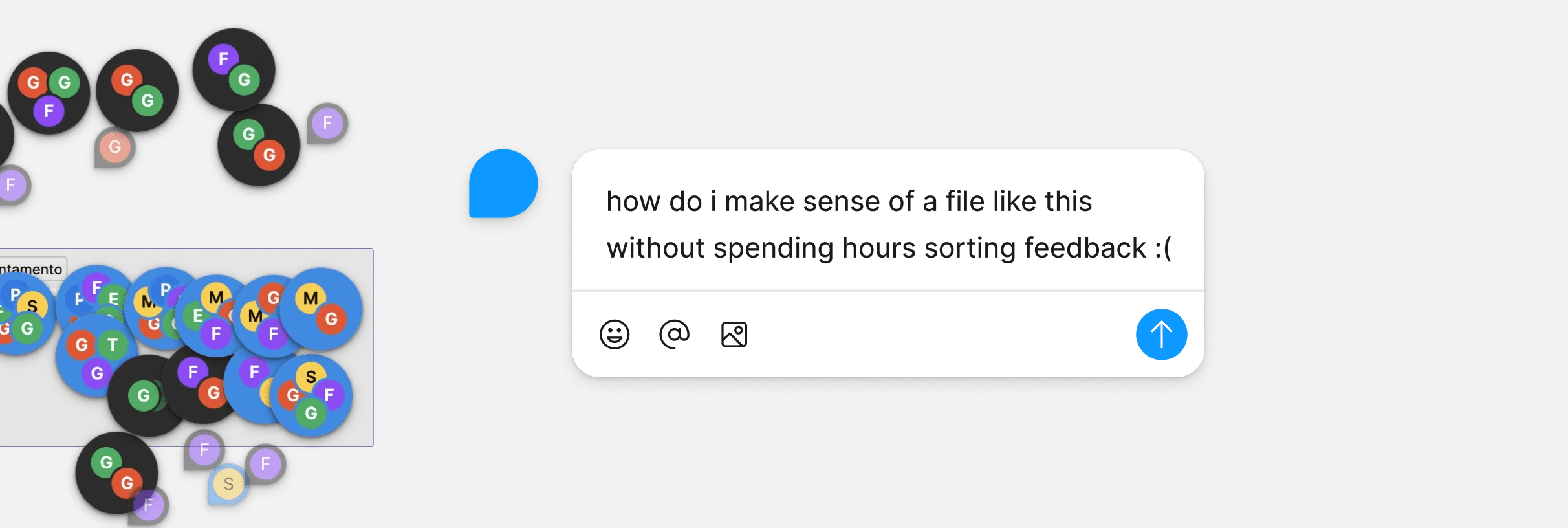
SO...
How might we design an AI-assisted interface that helps designers make sense of large volumes of feedback and support confident, actionable decisions?
Research
user interviews
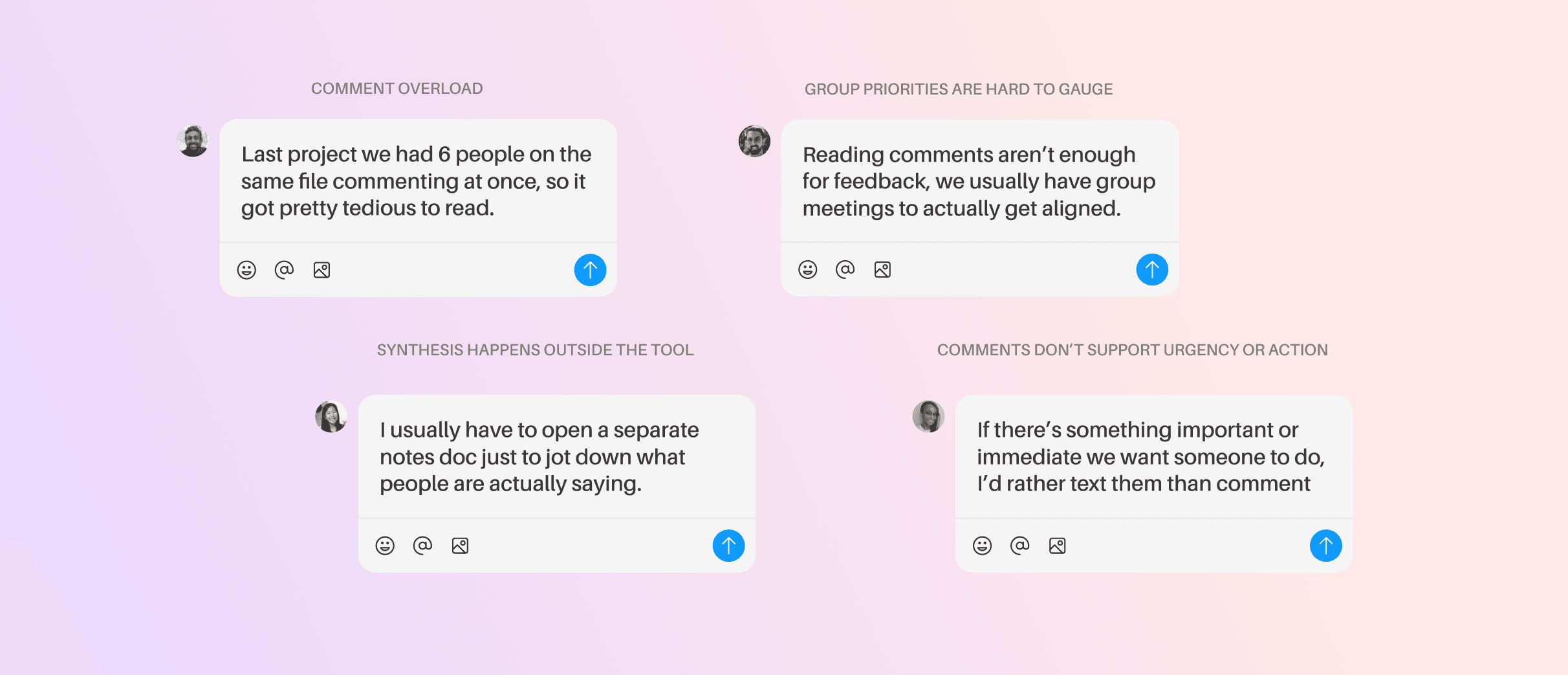
Designers don't struggle to get feedback, they struggle to interpret it
Developed within a design course, this project drew on our immediate design community as a primary research source. We spoke with designers who regularly use Figma to understand real-world feedback synthesis practices.
Competitive analysis
So, we looked into competitors to see what's missing
otter.ai
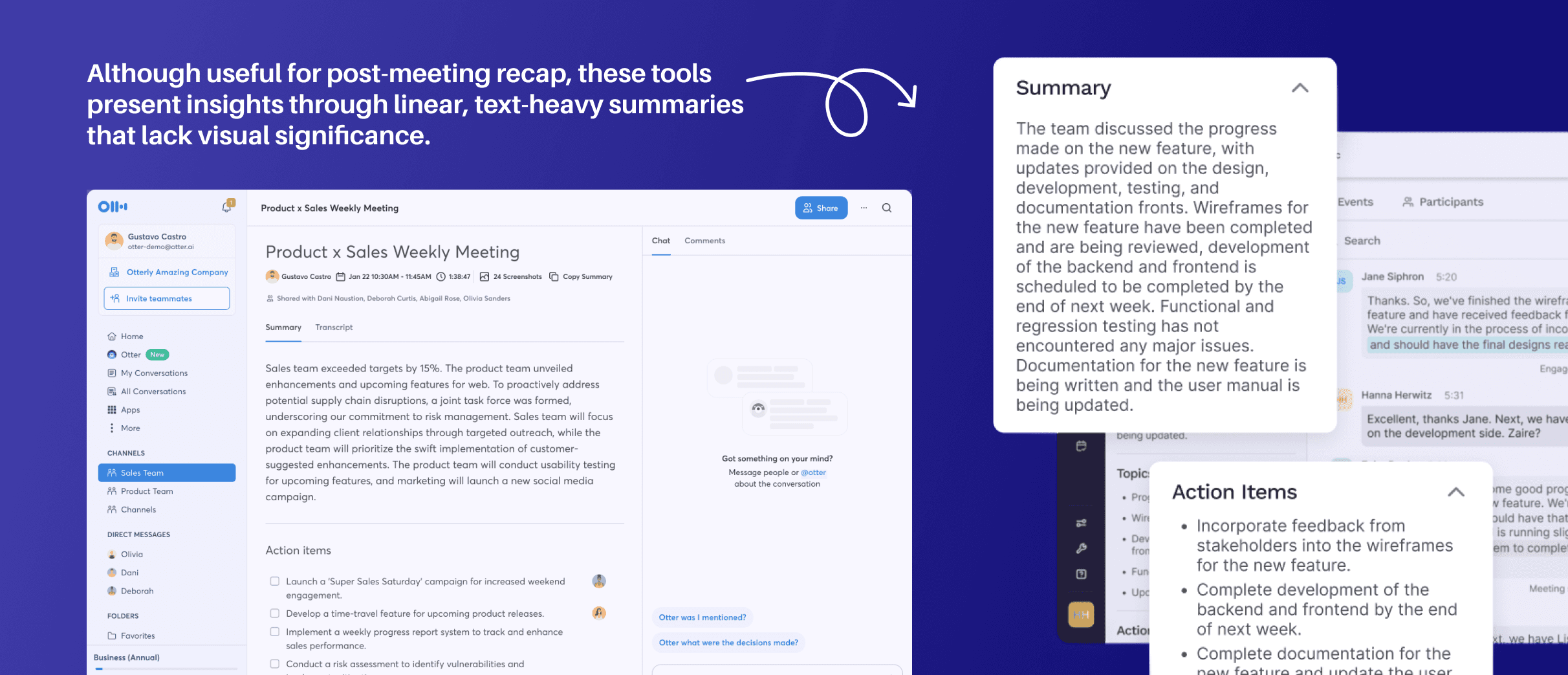
Strong summarization, limited synthesis
Otter.ai and Read.ai excels at transcription and meeting summaries, but outputs remain linear and text-heavy. Insights lack visual structure, clustering, or connection to design context.
commentful
Analyzing Commentful, an existing plug-in
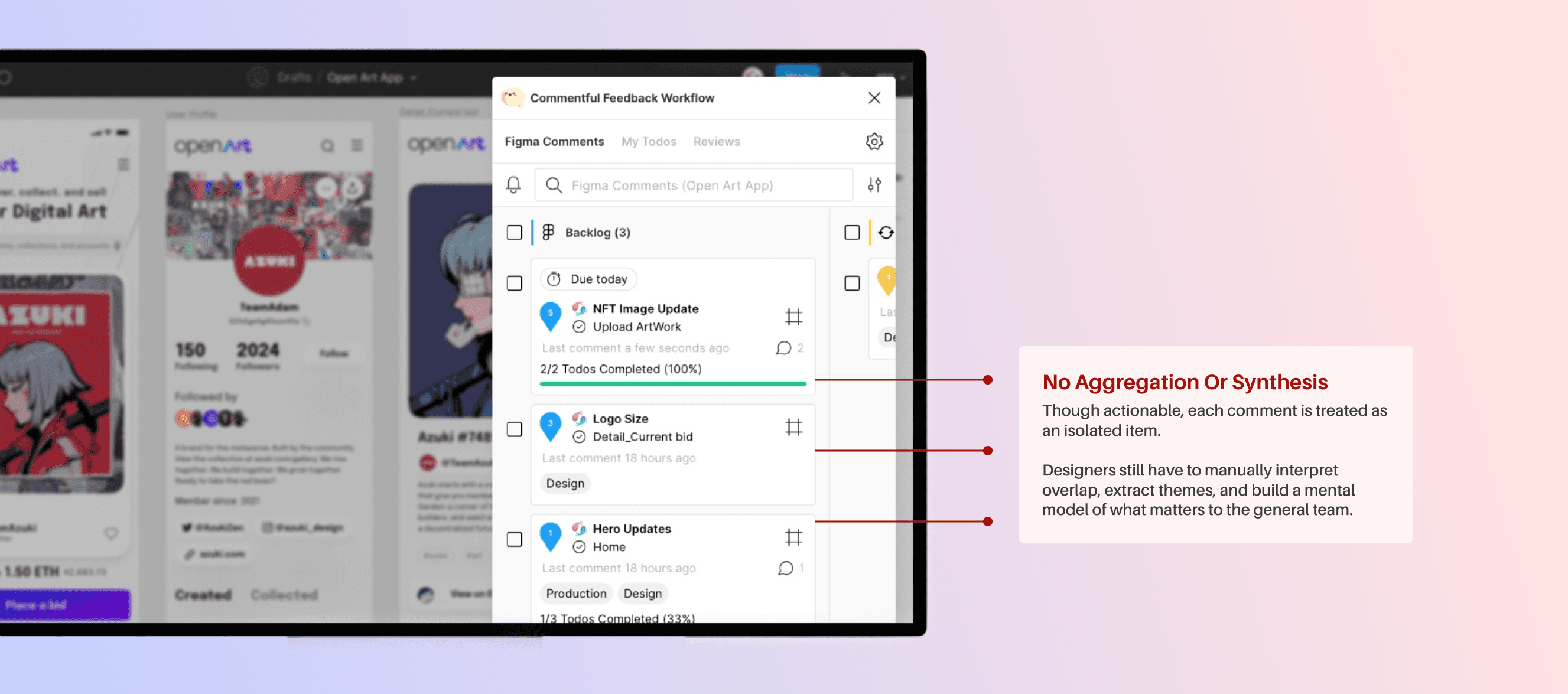
Commentful turns comments into tasks, improving execution and follow-through. Users can organize comments by status, priorities, and deadlines.
Comment-centric, but not insight-centric
Explore version-linked timelines that connect action items to before-and-after states, showing how feedback drives design change over time.
users can set comments as action items for quick to-dos
platform choice
We chose a figma plug-in as our interface platform
Meet designers where the work already lives
Feedback in Figma is spatial and contextual. Asking designers to leave the canvas to interpret comments adds friction, while a plugin enables synthesis to happen directly in place.
core gaps
So, how will we turn feedback chaos into momentum?
Feedback Doesn’t Scale With Collaboration
As comments multiply, designers must manually track repetition, consensus, and priority.
AI-Tool Interfaces Lacks Transparency and Actionability
As comments multiply, designers must manually track repetition, consensus, and priority.
Interfaces Don’t Support Shared Decision-Making
Without ways to surface patterns or alignment, teams struggle to converge on what matters most.
Ideation
So, how will we turn feedback chaos into momentum?
We distilled these gaps into a focused set of design principles that guided decisions from early sketches through the final prototype, ensuring the tool supports real-world creative workflows.
Translate insights into concrete, reviewable action items embedded directly in the workflow.
Surface recurring themes and patterns so designers can assess priority without reading every thread.
Avoid opaque summaries, make it visually clear how insights are generated and where they're grounded in.
Create voting features to support alignment, consensus, and faster decision-making across teams.
dashboard feature
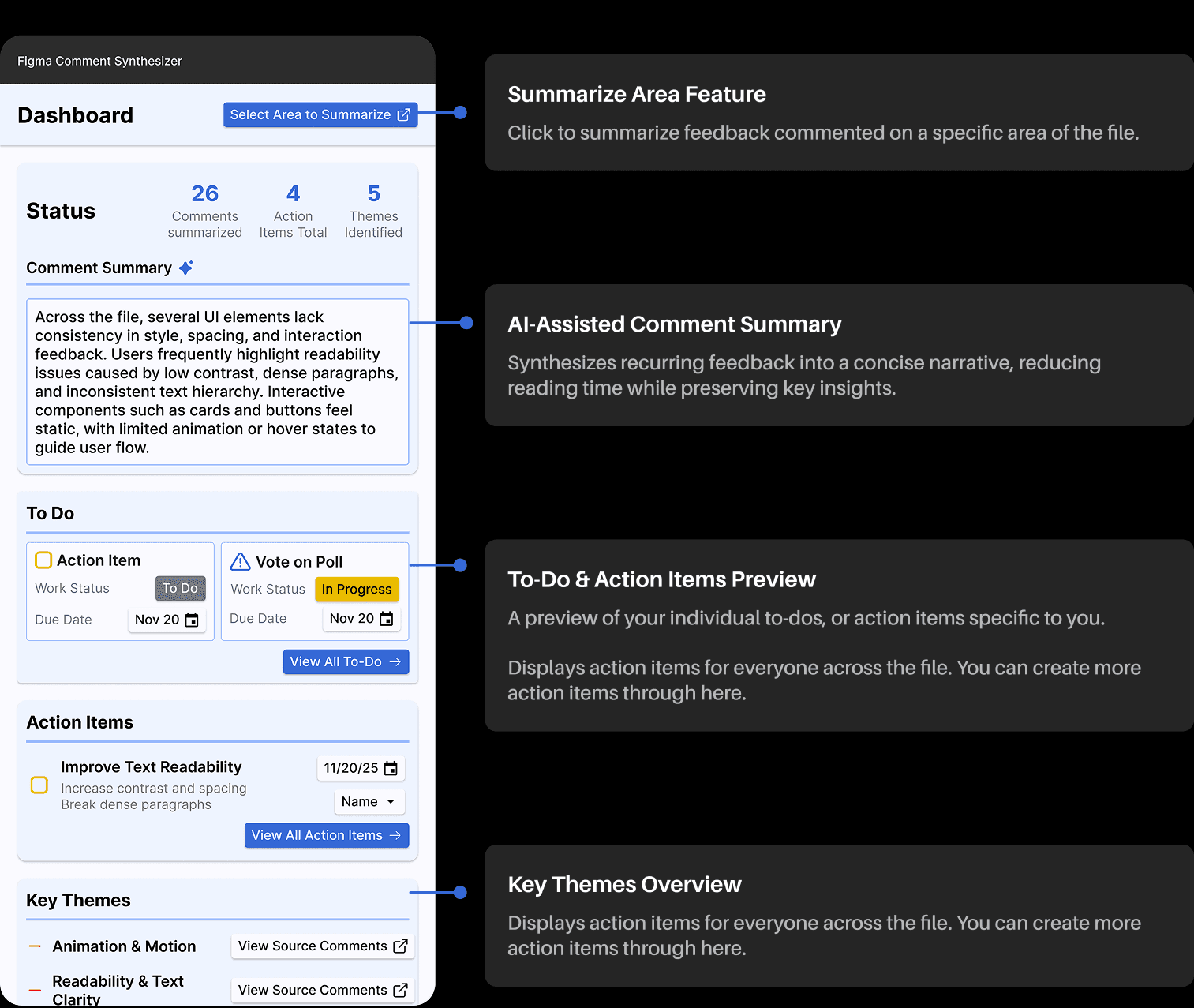
The dashboard, an entry point for making sense of feedback
To support designers in quickly understanding feedback at scale, we designed the dashboard as the primary entry point to the Figma Comment Synthesizer.
Action items
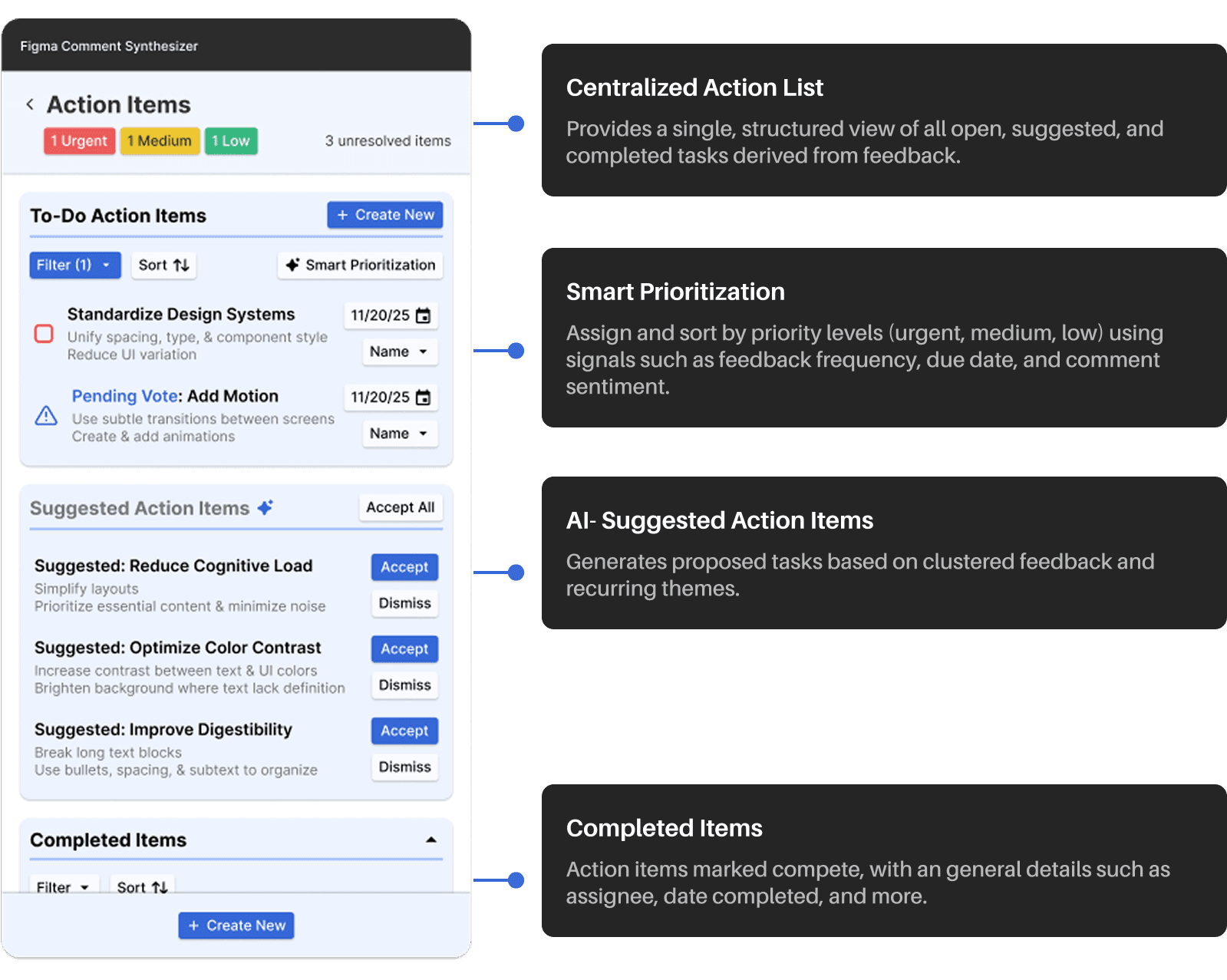
Turning synthesized comments into actionable next steps
Once feedback has been synthesized, designers need a place to act. The Action Items view translates themes and insights into concrete, trackable work, helping teams move forward without losing context or intent.
Smart fill
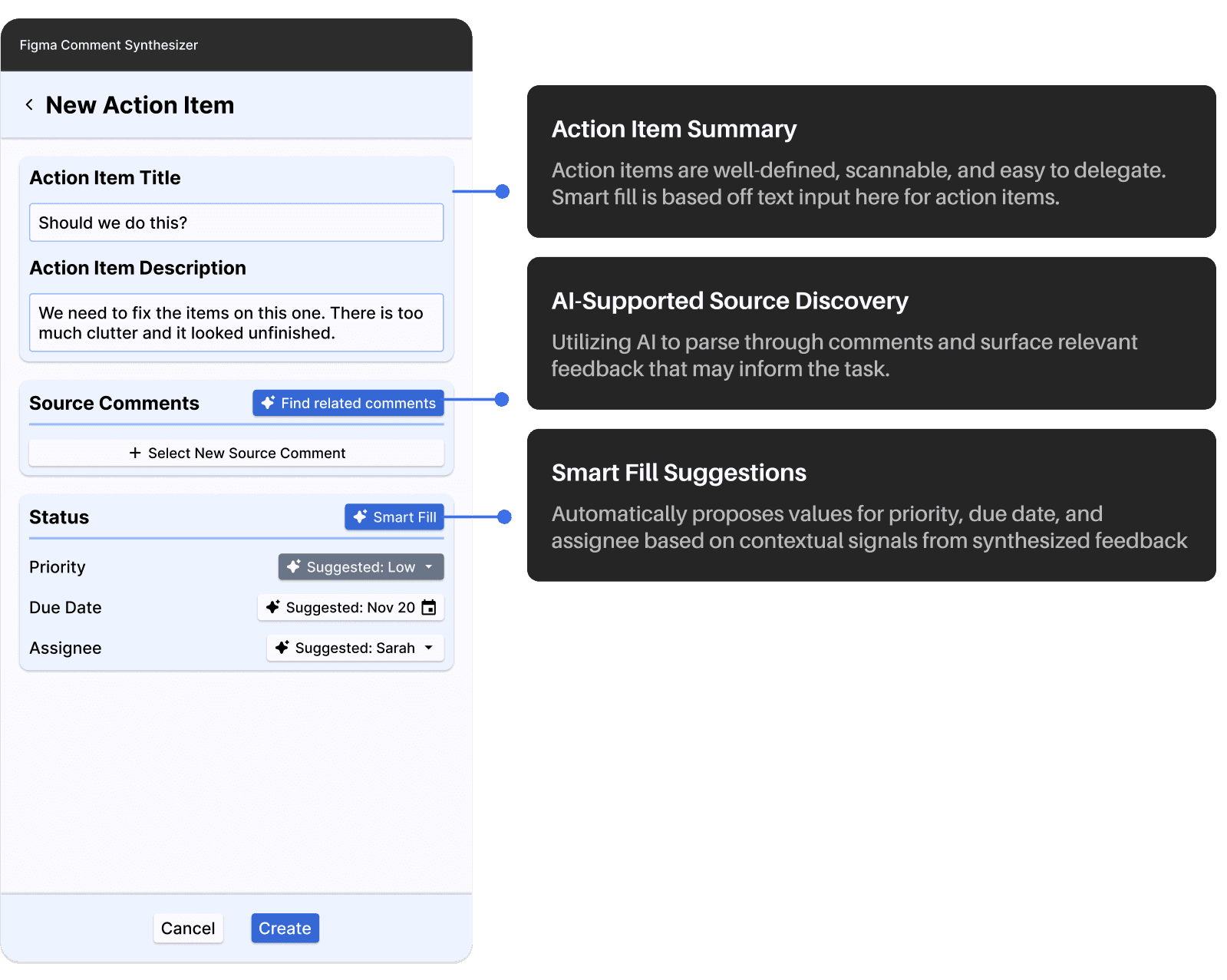
Incorporating smart fill on through AI-assisted action creation
Rather than requiring designers to manually interpret feedback and configure every field, the system accelerates task creation by linking potentially related comments, or smart filling the action item based on context.
poll creation feature
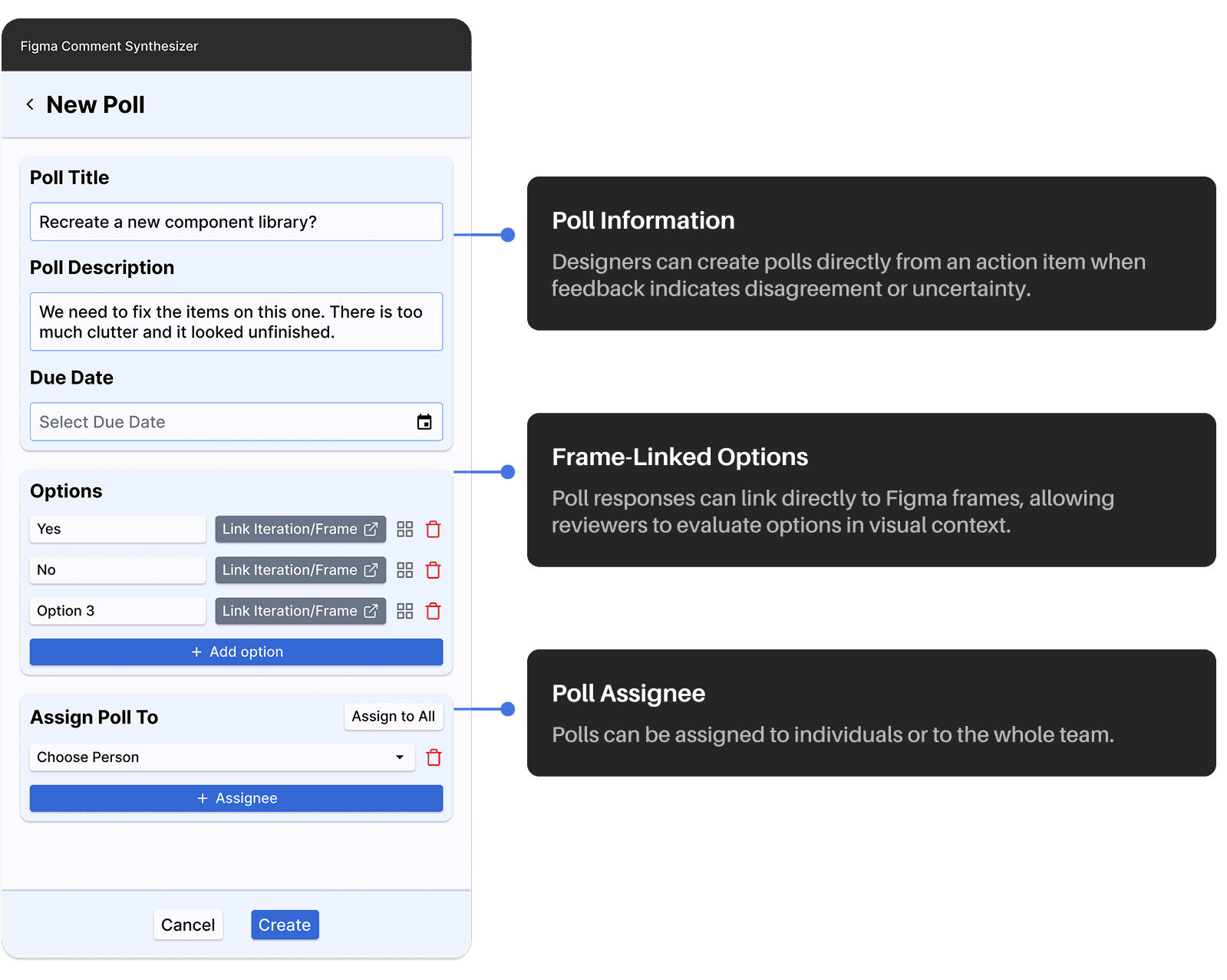
Achieving design alignment through polls
Some feedback can’t be synthesized. Polls surface disagreement and help teams align on decisions directly within action items, keeping discussion grounded in design context.
key themes
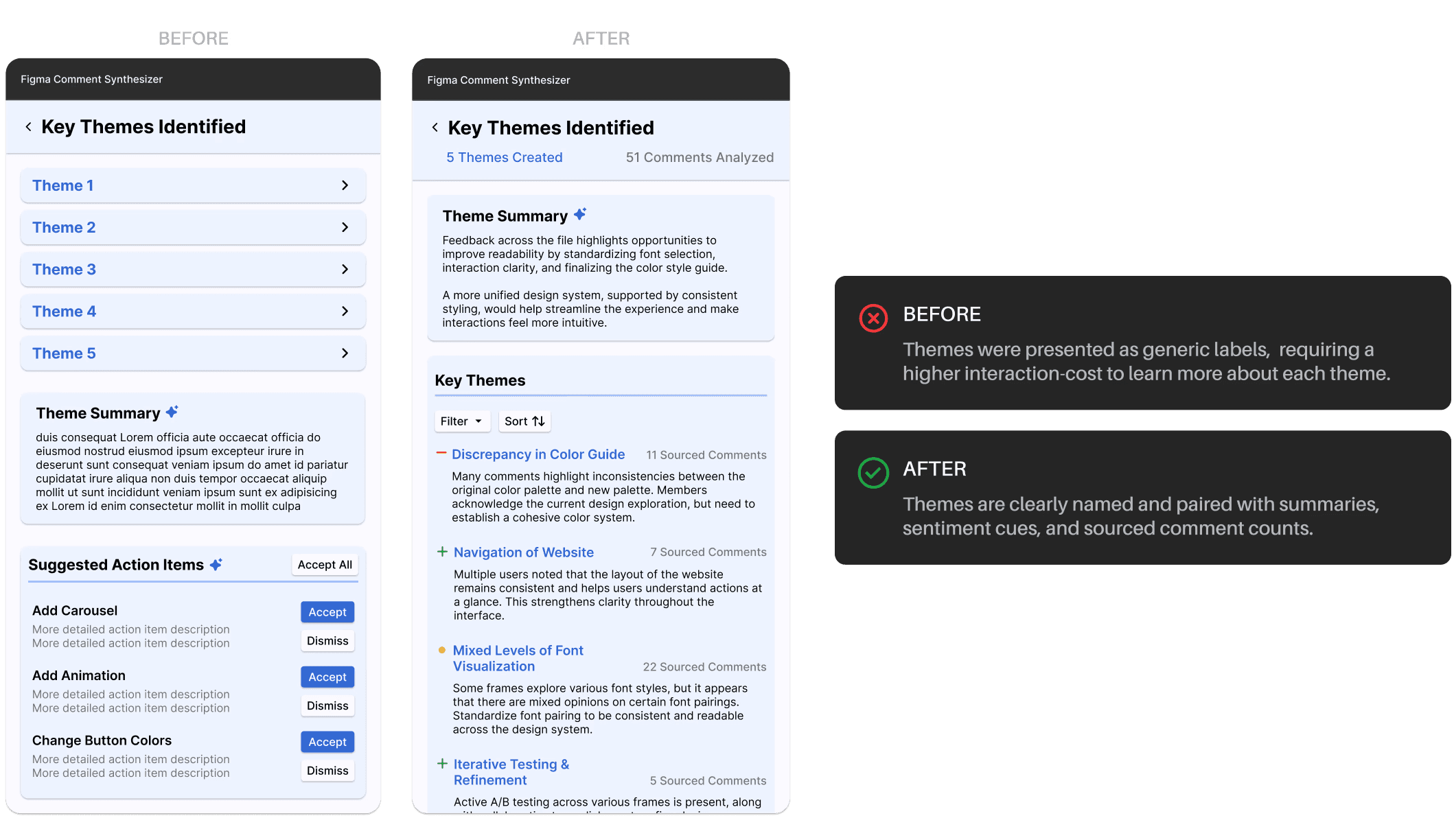
Key themes, a structured view of feedback patterns
To help designers understand recurring feedback at scale, we designed Key Themes to aggregate individual comments into higher-level signals, making patterns clear before committing to action.
Revising the Key Themes view for quick view
We restructured the Key Themes view to prioritize clarity over completeness. The revised layout surfaces high-level summaries, explicit theme naming, and visual signals, reducing reading and helping designers identify priority issues at a glance.
frame level summarization
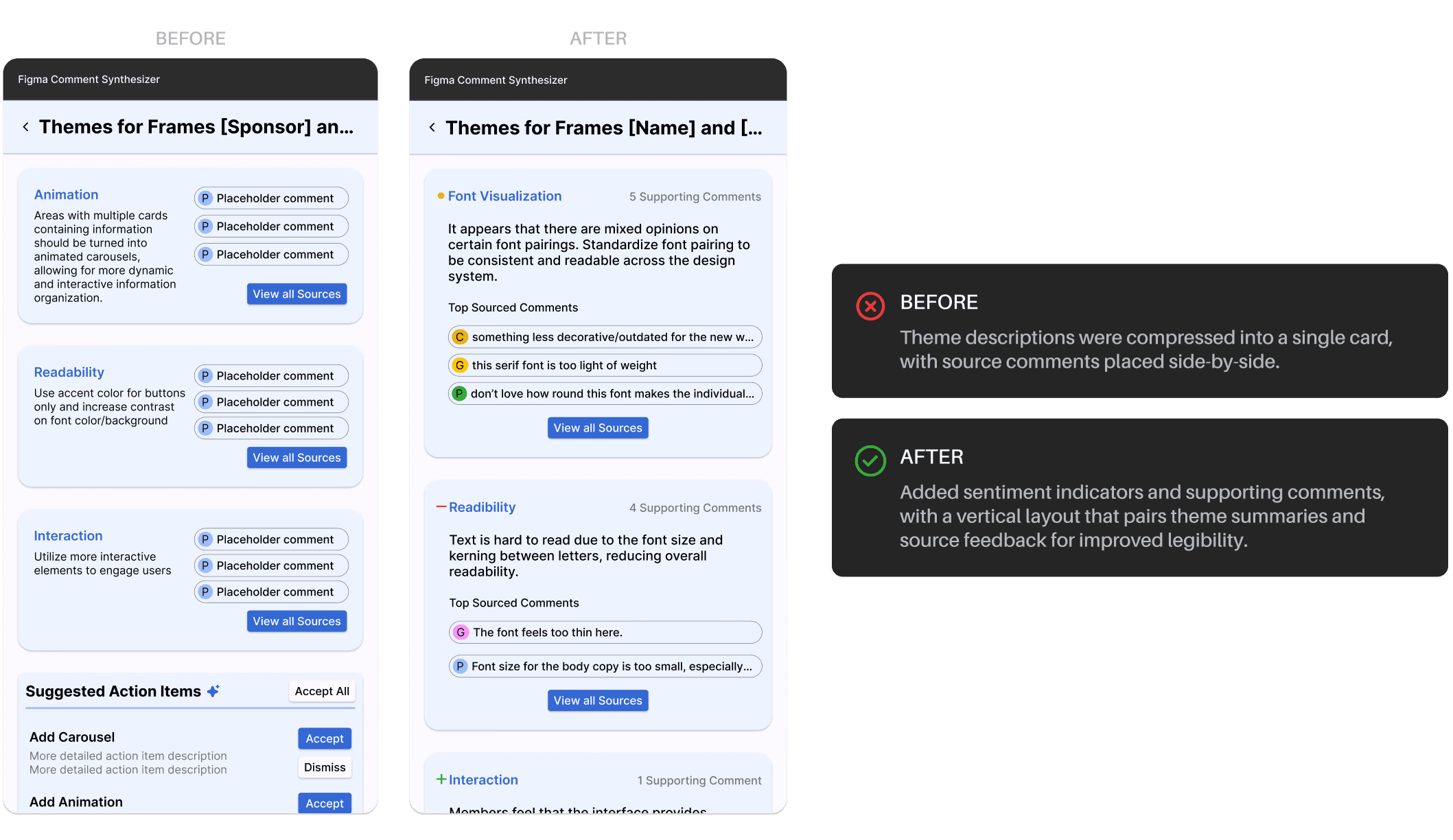
Select area to summarize, a selective view of feedback patterns
The feature aggregates comments from selected frames into clear themes, helping designers identify recurring patterns in a specific region without reading individual comments.
Revised Frame-Level Theme View
Based on user feedback, the initial layout was simplified to surface concise theme summaries, sentiment signals, and top sourced comments, making priorities easier to assess with less reading.
Final Design
From messy comments to confident design decisions, introducing Figma Comment Synthesizer
Our final prototype integrates AI-powered synthesis with human oversight in a cohesive Figma plug-in, enabling teams to interpret feedback, prioritize work, and make informed design decisions at scale.
We embedded the plugin within a prototype Figma file to simulate real usage. While some behaviors (e.g., frame selection or highlight-to-summarize) couldn’t be fully prototyped in Figma, we replicated key in-canvas interactions as closely as possible :)
Dashboard
The dashboard, a quick display of clarity for design file feedback
The dashboard is the central entry point, surfacing to-dos, active action items, key themes, and overall progress so users can quickly see what needs attention.
set-up, feedback summary, items overview, to-dos, action items, and key themes
action item overview
Action items synthesized, prioritized, and adapted from design feedback
Action items can be created manually or enhanced with Smart Fill, which suggests assignees, timelines, and supporting context. Attached polls allow teams to vote on design options directly within the workflow to reach alignment.
Action item view, smart suggestions, smart prioritize, and suggested action items
Create action item and poll
AI-assisted action item creation and team alignment through polls
Users can create action items manually. Smart Fill reduces effort by suggesting supporting comments, assignees, and timelines based on past ownership and active workload.
Action items can also include polls tied to specific frames, enabling teams to surface disagreement, vote in context, and align on decisions before execution.
Create action item, smart fill item, poll creation/frame linking, and poll voting
Create action item and poll
AI-assisted action item creation and team alignment through polls
Users can create action items manually. Smart Fill reduces effort by suggesting supporting comments, assignees, and timelines based on past ownership and active workload.
Action items can also include polls tied to specific frames, enabling teams to surface disagreement, vote in context, and align on decisions before execution.
Create action item, smart fill item, poll creation/frame linking, and poll voting
key themes and frame summarization
AI-synthesized feedback themes with traceable sources and scoped summaries
AI-generated themes cluster comments into high-level feedback patterns, each with a concise summary, sentiment indicator, source links, and suggested next steps.
Designers can also scope synthesis to selected frames, generating localized themes and actions while preserving traceability to original comments.
Overall key themes, them summary, source comment linking , select area to summarize
Final Takeaways
Designing from the inside out
Designing from the inside out
Questioning “how things are usually done” opened up new design opportunities hidden inside everyday tools.
Designers are translators
This project reinforced that design isn’t about creating new information, but translating ambiguous feedback into clear information.
What I would've added if I had more time
Make feedback traceable across iterations
Explore version-linked timelines that connect action items to before-and-after states, showing how feedback drives design change over time.
Simplify the interface
Continue refining the interface to surface core signals first, keeping advanced features accessible while keeping a cleaner interface.
CL
Thanks for swinging by...
Let’s create something together!